Kubb: Throwing Wood for iPhone
Kubb: Throwing Wood as a native iPhone app, begun on November 17, 2026. It runs the Kubb Engine in Lua with musl’s math built in, so its throws match the web game’s hash for hash, and it plays on the same pitches. Since November 19 it plays on an iPad too, the same game on a bigger screen. It is in TestFlight, and since November 20 anyone can join its testers from a public link. Since November 21 they have version 0.4, with Day, Night and Neon scenes.
The web’s match, in the hand.
Active
On this pageJump
Kubb: Throwing Wood for iPhone is the game Jamie began on the Playdate, made for a phone. It plays practice, a match against the computer, and matches on a shared pitch with friends, and a phone and a browser can play opposite sides of the same match. At the end of a match the score sheet is there in Planet Kubb Notation, with a rematch a button away.
It is native, written in Swift, but the game in it is not new code. It runs the Kubb Engine, the same Lua the Playdate game and the game on the web run, copied in from a tagged release. For a phone and a browser to share a match, every throw has to land in the same place on both, to the last bit. The web’s Lua runs in WebAssembly with musl’s math library, and Apple’s differs from it in the last digit on some numbers, so the app compiles musl’s math into its own Lua and uses nothing of Apple’s for it. Its tests play the engine’s golden matches and check every hash.
It was begun on November 17, 2026, the day the engine came out of the Playdate game. That day it ran the engine natively, hash for hash with the web, and played practice throws; on November 18 it played a whole match against the computer, started, joined and watched pitches online, opened pitch links, and knocked wood with sound and haptics. The same day it went into TestFlight with a small group of testers.
On November 19 it took on, alongside the web game, the controls the two now share. The meter is the player’s choice, the clock or a linear meter at either edge, and a finger turning either one no longer has to cover it. A player who is stuck is shown the throw on the meter itself. ARC and TILT are sliders, STAND replaced WALK, a kubb is raised by touching it, AUTO ALL raises the rest of a turn’s and the menu’s Raising the rest of the game’s, and Send Feedback takes any kind of feedback. The score sheet names a player only on a team of more than one. And the phone can be turned on its side. Jamie, that day: “Given we have a widescreen view for web, can we extend that to support iPhone rotated display?” And: “in landscape the tilt, arc, stand controls should be pushed to the left hand side of the screen so the user can control those with the left hand and the throw with the right hand” (the app’s notes). Both are in it.
Later that day it became an iPad app as well. Jamie: “The idea of an iPad version would just be to give us a little bit bigger screen” (the app’s notes). So the iPad plays the same game, with the same throw and the same cards, and nothing is drawn for it that the phone lacks. The layout goes by the window, not the device: upright is the phone’s layout, and on its side or in a resizable window it is the web’s wide one, with TILT, ARC and STAND at the far edge from the meter. An iPad turns all four ways; the iPhone keeps three. On its side the clock takes the web’s rule for its size, so it grows with the screen, while the score sheet, the panels and the feedback card keep the web’s widths instead of stretching, and in a window smaller than the screen the turn rail keeps clear of the window’s own controls. Its tests sweep every window size an iPad can give, and it was checked in the simulator on an iPad mini and an iPad Pro 13-inch. Build 90 took it to the testers that evening; build 80, earlier the same day, had carried the phone on its side and the new controls.


On November 20 the app took on the highlight reel and the share card. At the end of a match on a shared pitch it can ask for a reel, and a match against the computer can be shared to get a link, a replay and a reel of its own, as on the web. Build 113, with the reels on engine 0.7.4, and then build 121, version 0.2 on engine 0.8.1, passed Apple’s Beta App Review that day and went to the outside testers. Anyone can join them from the TestFlight link on the game’s iPhone page. Build 121 carries engine 0.7 beside 0.8, so it can still open a match begun on 0.7, and its menu shows the version as 0.2 (0.8.1).

Later that day version 0.3 reached the app’s main branch, on engine 0.9.0 with 0.8.2 and 0.7.4 beside it. A player’s own throw level is one setting on the phone, the computer’s level is an option of the match, and ARC, TILT and SPIN are sliders that stop anywhere, with the engine’s ticks marked. Its menu reads 0.3 (0.9.0). Build 132 carries it and went to Apple’s Beta App Review that afternoon. It passed at about 12:13 in the morning of November 21 and went to the outside testers.


Version 0.4 reached the main branch on the evening of November 20 and brought scenes, as on the web. A match can be played in the Day, at Night under a full moon, or in Neon, a black world on a grid of light. Scene is an option of the match: the last row of the options for a match against the computer, a row in the lobby for the host, and a row in the practice menu. A scene is a look only and never changes a throw, and the controls take its colours too, “dark mode for the game,” in Jamie’s words (the app’s guide). Scene and Surface stay two settings. Build 144 carries it. It was uploaded that evening, passed Beta App Review at about 12:21 in the morning of November 21, and went to the outside testers. Its menu reads 0.4 (0.9.0).


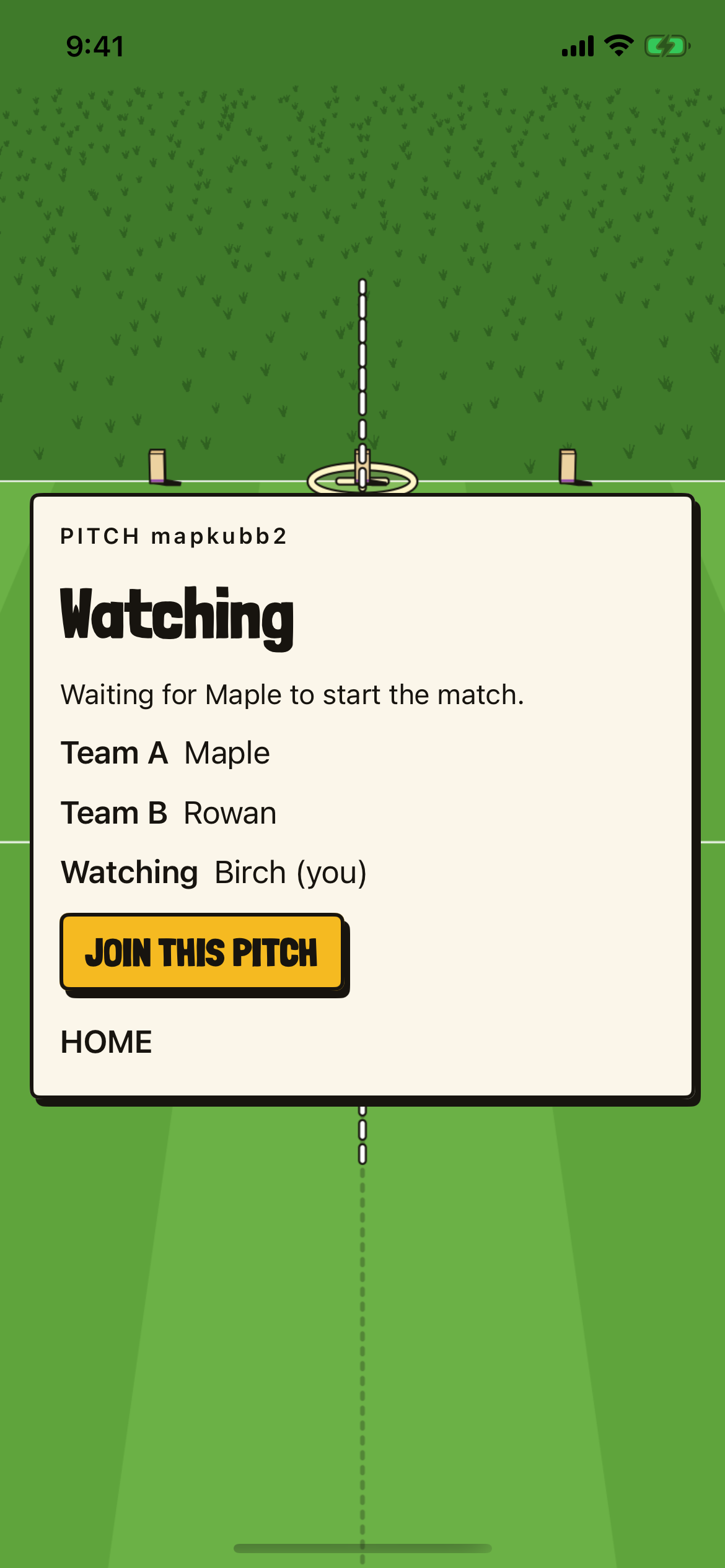
Version 0.5 has been on the app’s main branch since late on November 20, and is in no TestFlight build yet. The device’s own settings, Your name, Your level, Sound, Haptics, Meter and Meter side, are together on one Settings card, reached from home and from inside every match. A match’s options live only with the match: the options card for a match against the computer, the practice menu and the lobby. And it has observer mode, with the same rules as the web’s, which came in its version 0.8.0. The Play online card lists Open games, each with JOIN and WATCH. A watcher sees the whole pitch in a wide view, can drag to look around and pinch to zoom, and RESET VIEW goes back to where a moved view began. An observer never throws, never hosts and cannot shout, and between matches its card offers JOIN THIS PITCH.


Its bundle id is com.throwingwood.app, at the game’s own domain, and its privacy page is on throwingwood.com. Every upload to TestFlight, and the App Store, is Jamie’s call.
The build #
- A SwiftUI app for iOS 26, in Swift with no third-party packages, built on the skeleton of the Road Sign Math app.
- The game is the Kubb Engine, run in Lua 5.4.5, the Lua that wasmoon 1.16 builds. Apple’s math library differs from the web’s in the last bit on some arguments, so musl 1.2.5’s math is compiled in instead, with every name renamed so nothing falls back to Apple’s, and no fused multiply-adds.
- The pitch is drawn with Core Graphics, in heavy ink frames with hard shadows, from what the engine reports after every action.
- Online play is the web’s rooms service, spoken to over a Foundation WebSocket, so the app joins the same lobbies and the same matches as a browser.
- The layout reads the window’s size, never the device’s. A window taller than 1.05 times its width is laid out upright and any other wide, so an iPad upright, on its side or in a resizable window gets one of the same two layouts as a phone.
- Wood knocks on impact, and Core Haptics taps as the dial’s arm enters or leaves a target band and when the king falls; sound and haptics each have a switch.
Swift SwiftUI iOS 26 iPadOS 26 Lua 5.4 musl Core Graphics TestFlight
The record #
Artifacts #
Files from the project itself, kept as they were. All 25 on one page.
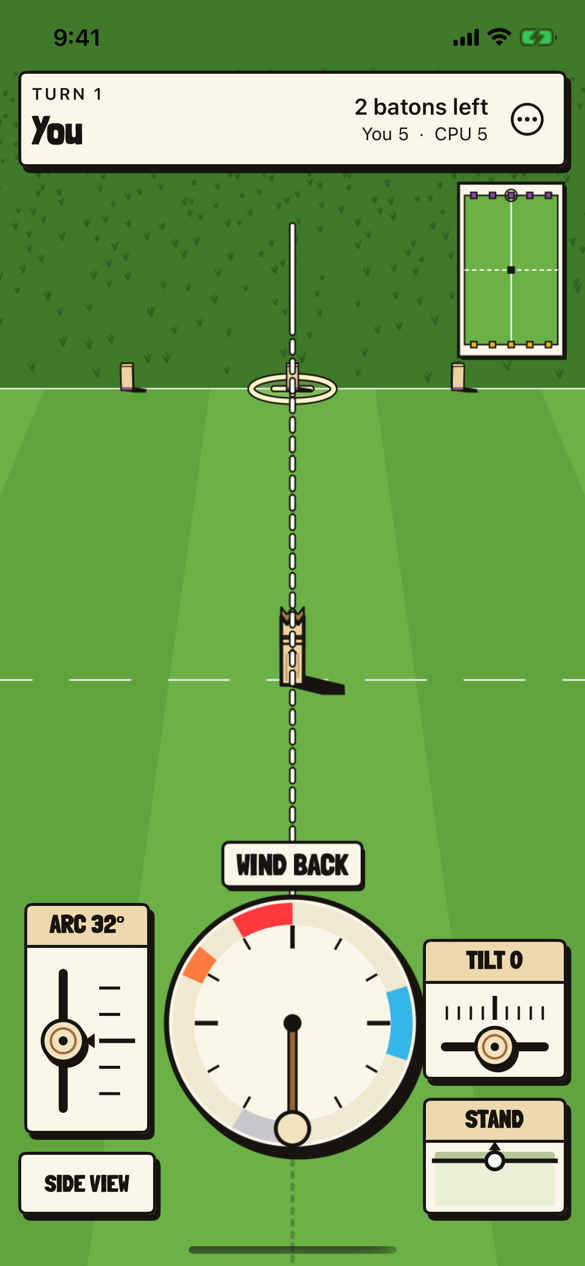
Aiming, with the clock #

The first turn of a match against the computer. The clock is the meter, wound back on the left and stopped on the blue mark, with ARC and SIDE VIEW on one side of it and TILT and STAND on the other.
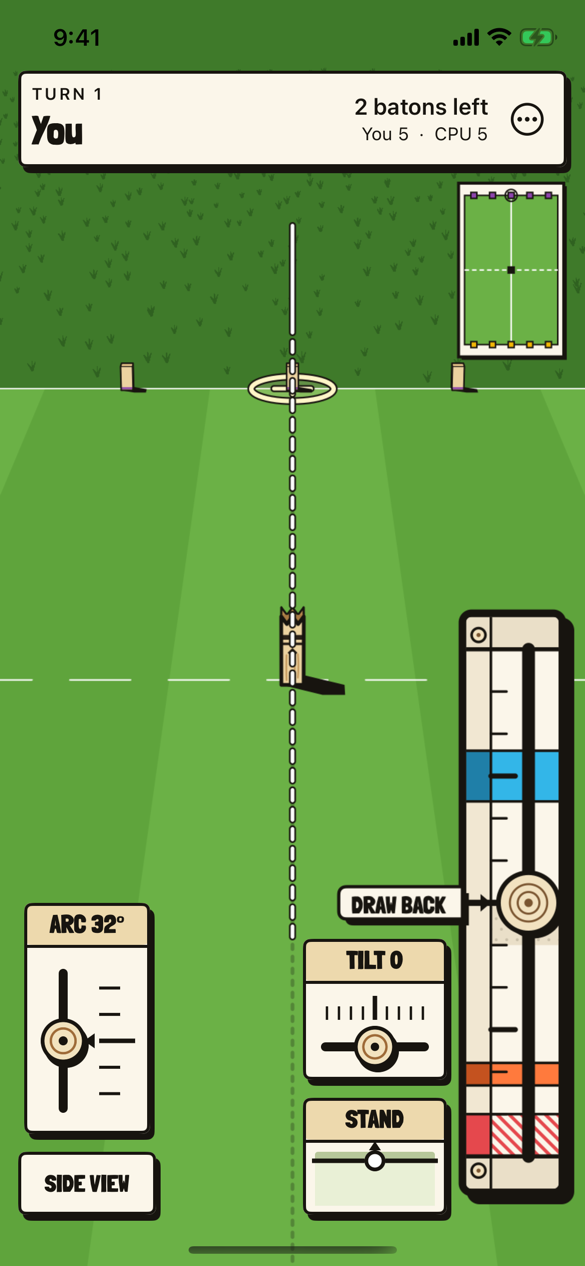
Aiming, with the linear meter #

The same throw with the linear meter, the clock unrolled into a track at the screen’s edge. Draw the knob back to the orange mark and fling it up to the blue one. Which meter, and which edge, is the player’s choice in the menu.
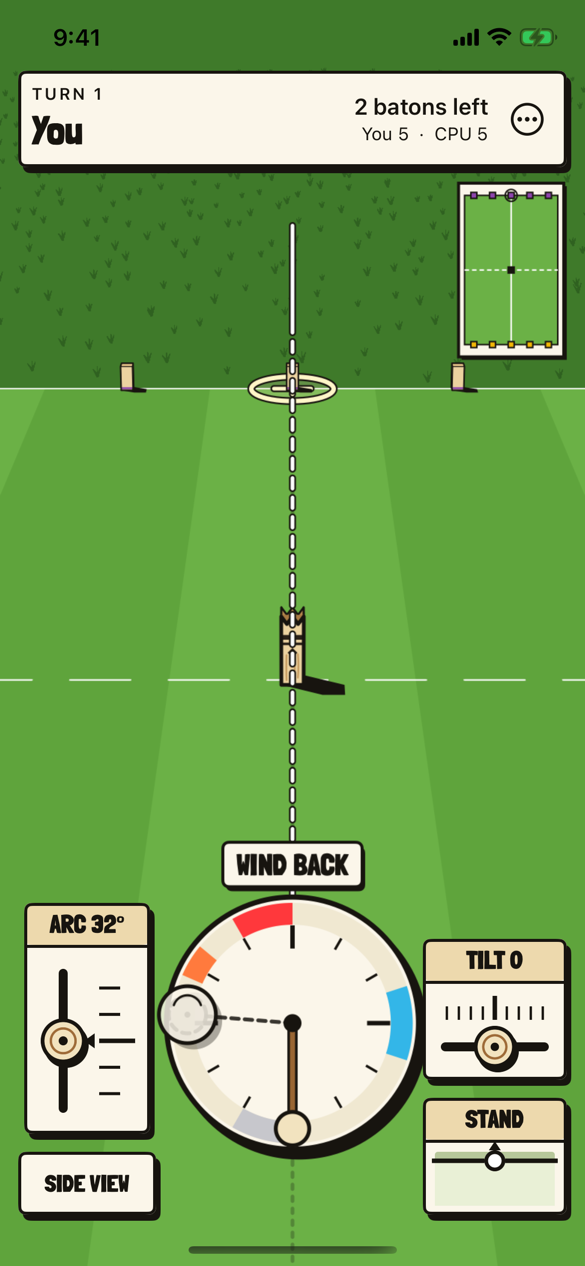
The hint, on the meter #

A player who has not managed a throw is shown one on the meter itself, a ghost of the knob pulling back, holding and flicking, with a ghost fingertip beside the ring where a finger can turn it without covering it.
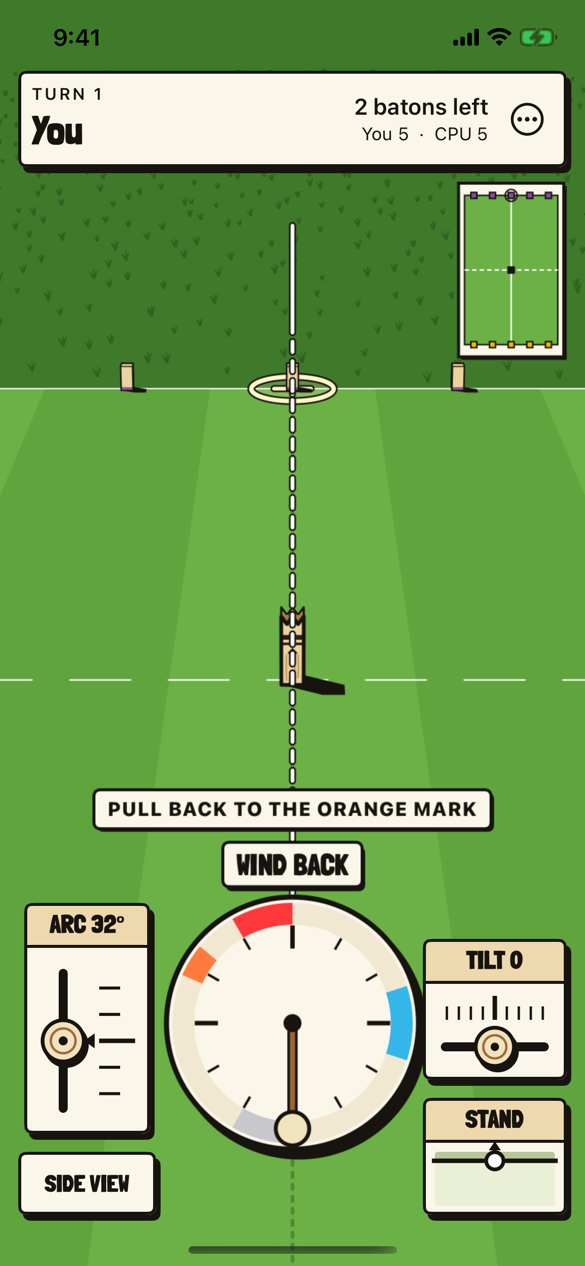
The coach line #

PULL BACK TO THE ORANGE MARK, over the meter’s own WIND BACK, for a phone that has thrown fewer than three times.
STAND #

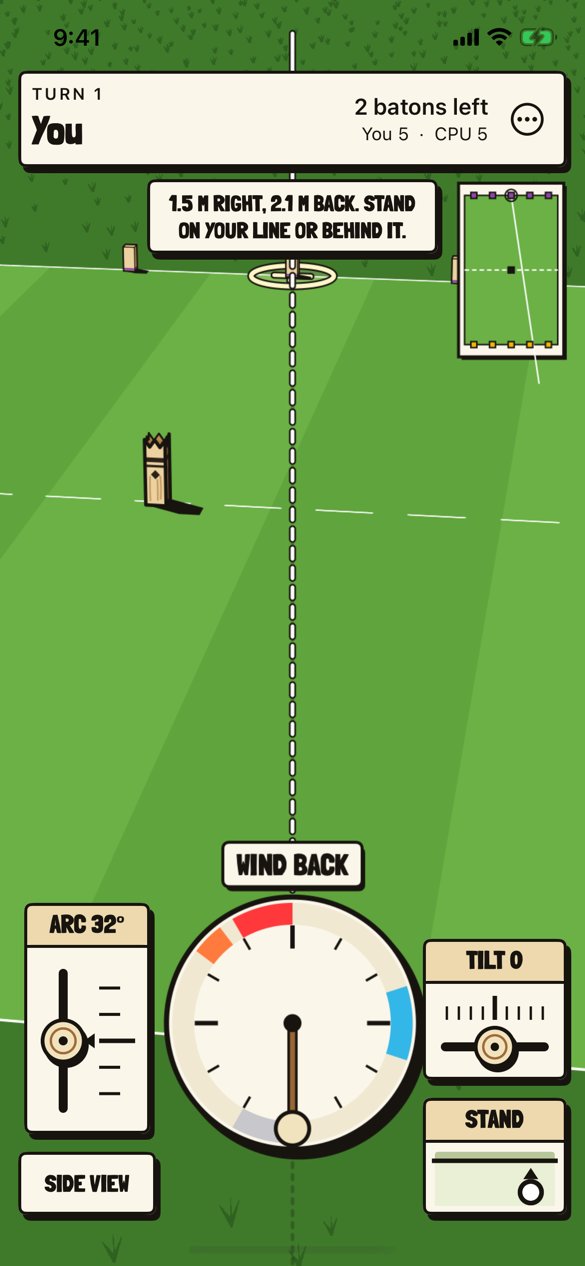
The plate shows the throwing line from above with a ring where the thrower stands. Dragging it moves the thrower, and the caption says where to, 1.5 meters right and 2.1 back here.
On its side #

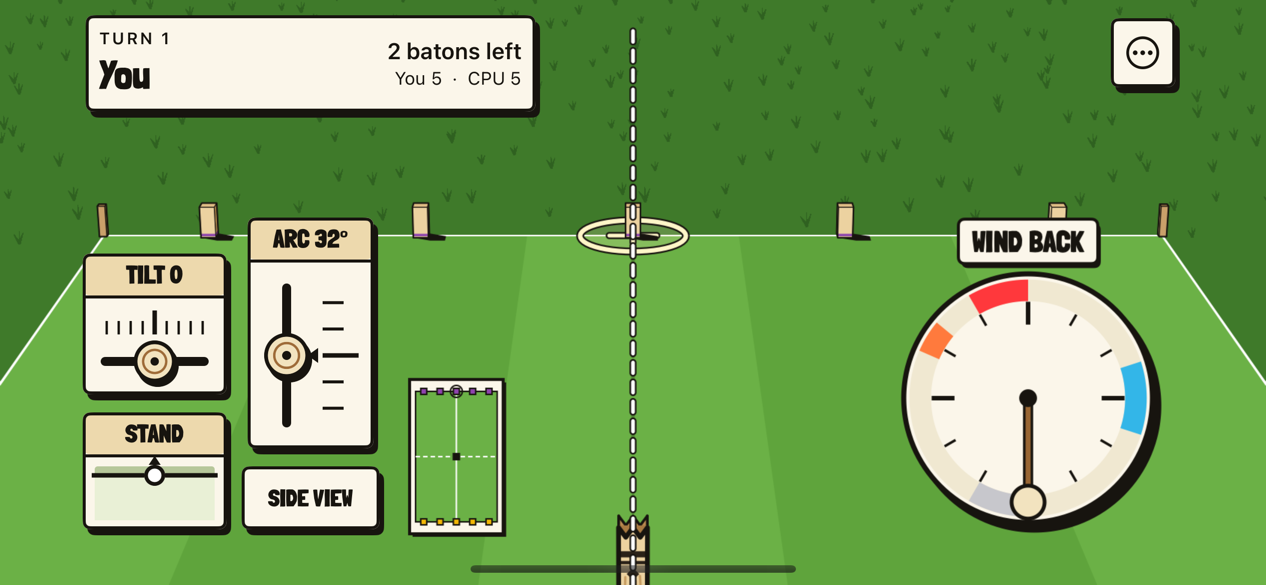
The phone turned on its side lays the match out as the web’s wide screen. TILT, STAND, ARC and SIDE VIEW sit at the far edge for the left hand, and the clock low on the right for the throwing hand.
Raising by touch #

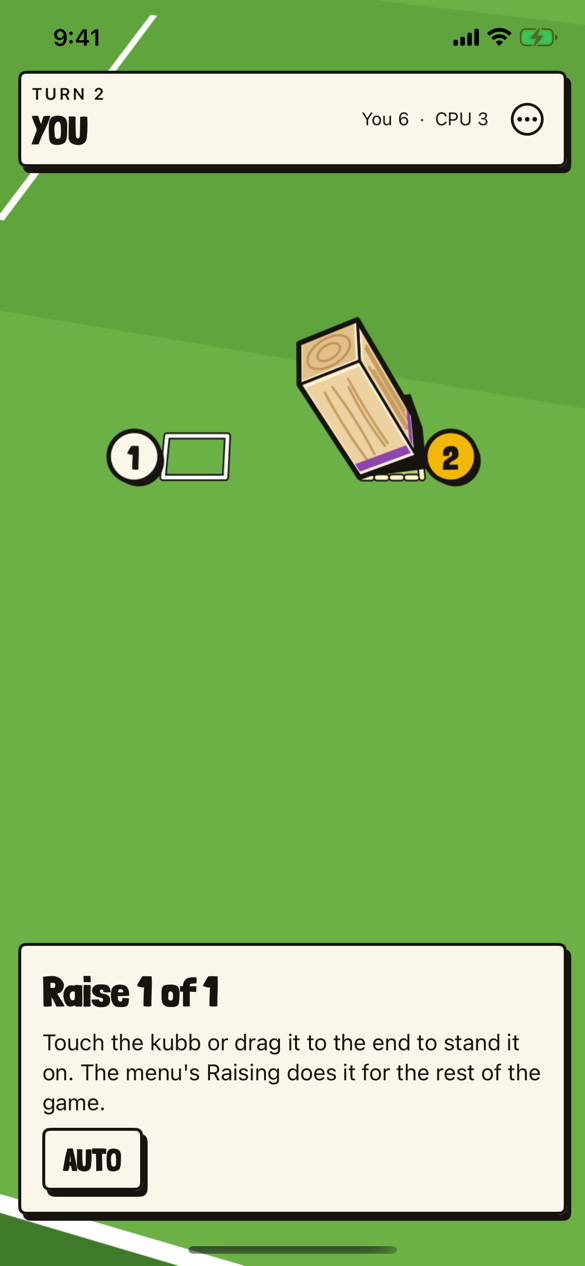
A fallen field kubb being raised. Touch it, or drag it toward an end, to stand it there; AUTO lets the engine choose, and the menu’s Raising does it for the rest of the game.
The score sheet #

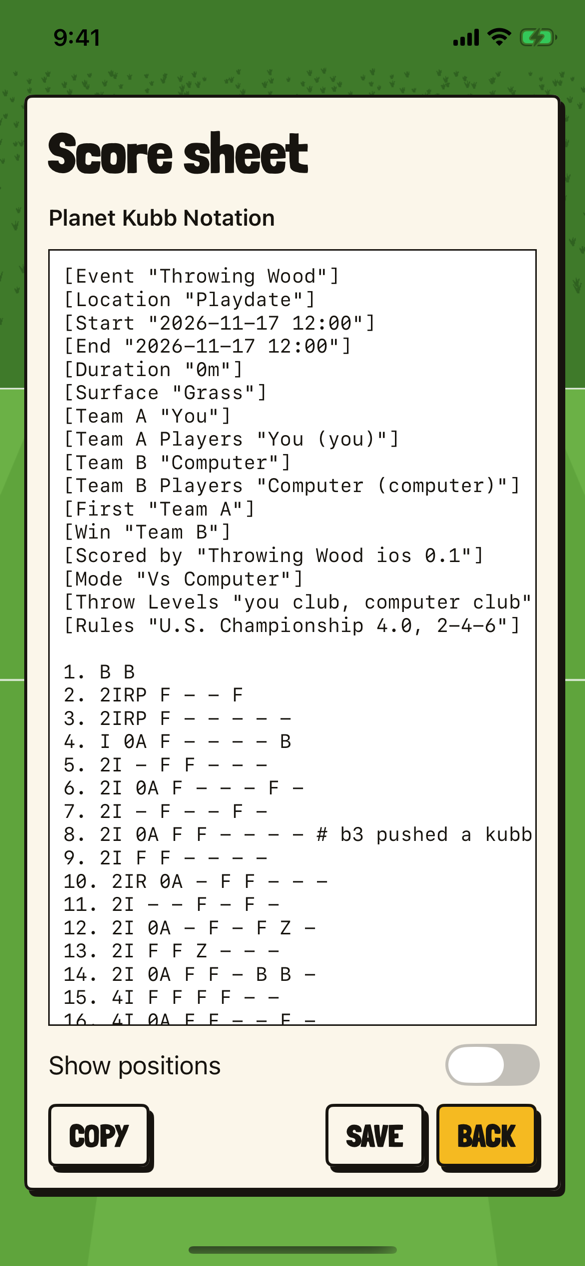
A finished match against the computer in Planet Kubb Notation, written by the engine. Each team here is one player, so the throws carry no player’s name.
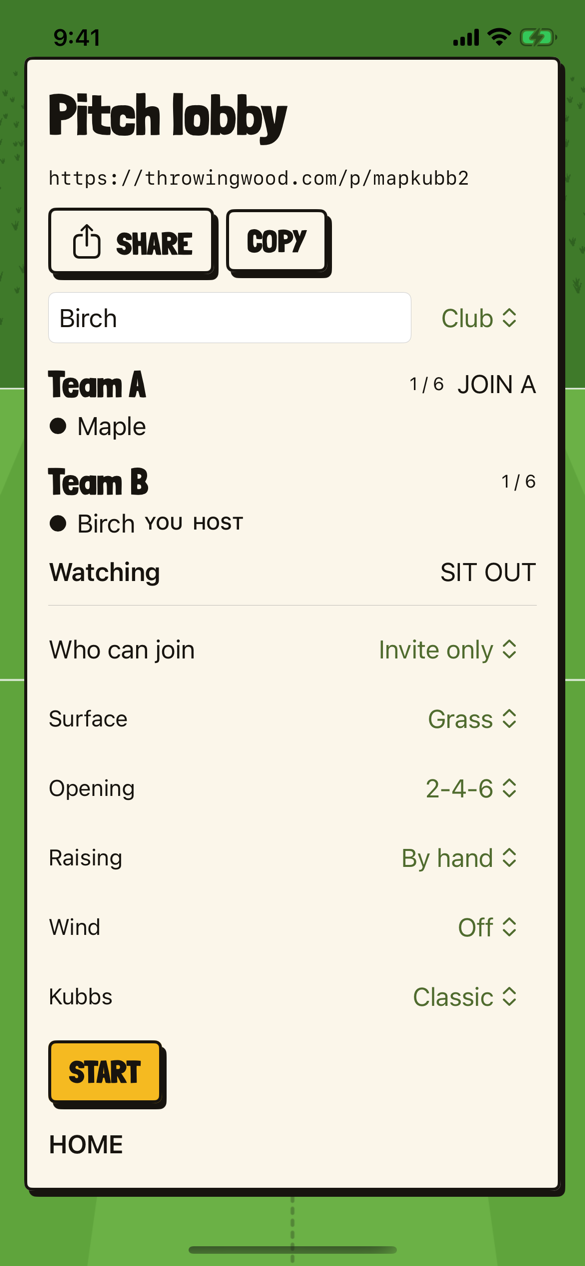
A pitch lobby #

A shared pitch at its own throwingwood.com link, with SHARE and COPY to send it, a team each side, and the match’s surface, opening, raising, wind and kubbs.
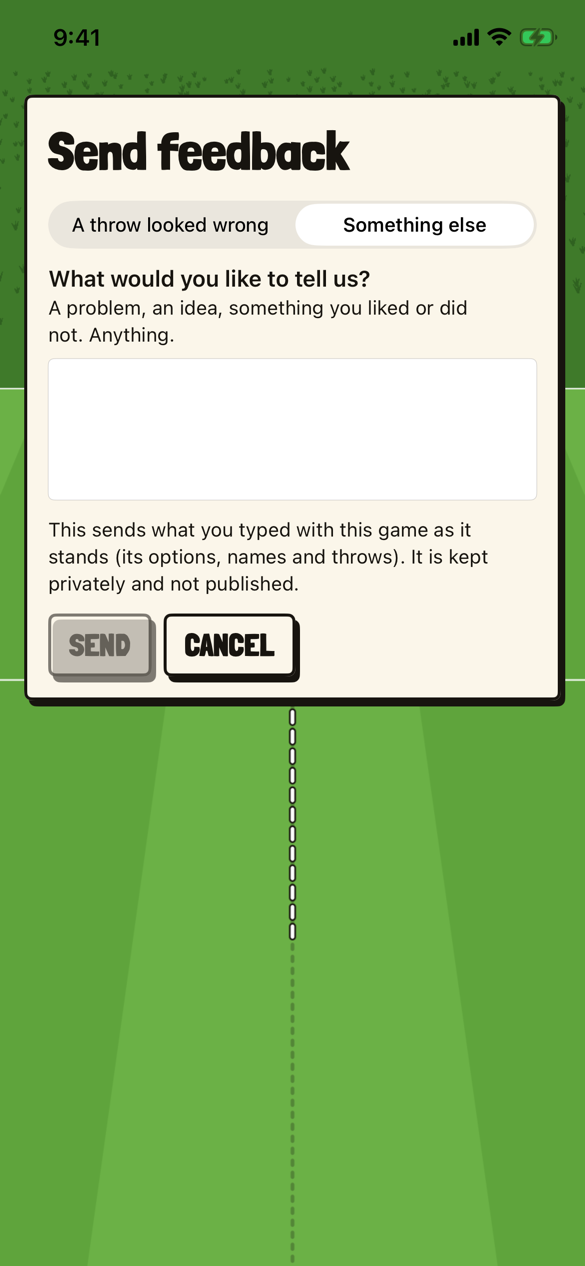
Send feedback #

The card that sends a report about a throw that looked wrong, or anything else, in one box. It says what goes with it, and that it is kept privately.
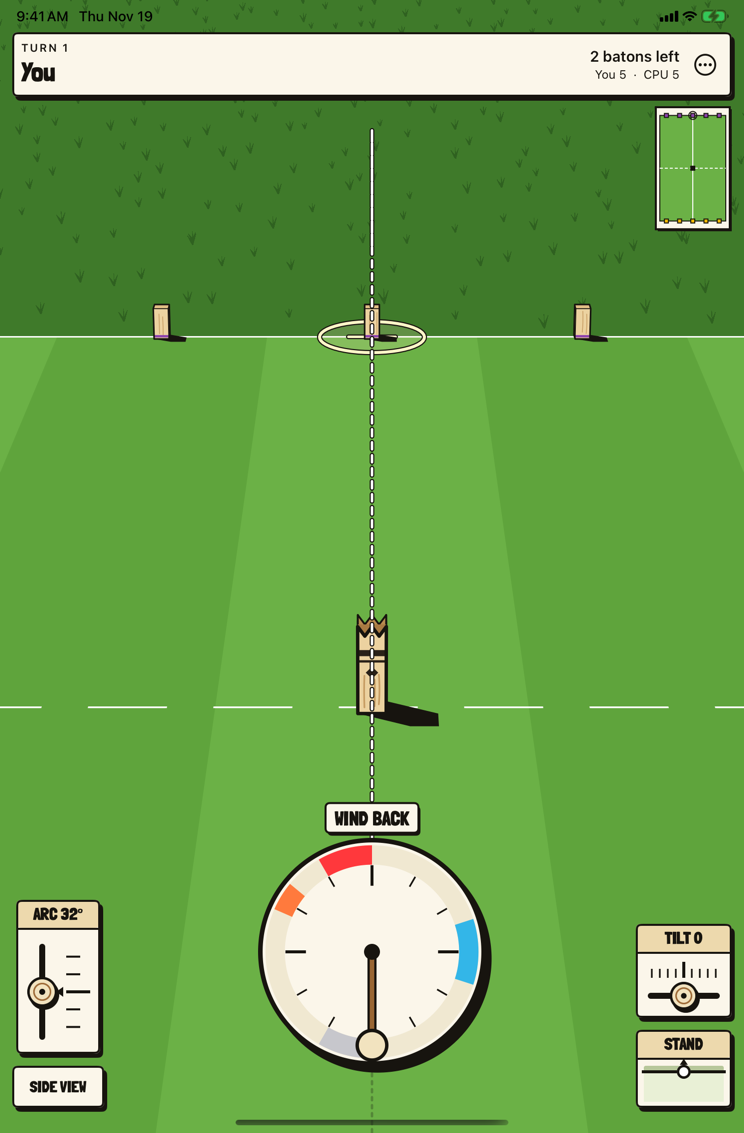
An iPad mini, upright #
The first turn of a match against the computer on an iPad mini held upright. It is the phone’s upright layout with more pitch around it, the clock in the middle, ARC and SIDE VIEW on one side and TILT and STAND on the other.
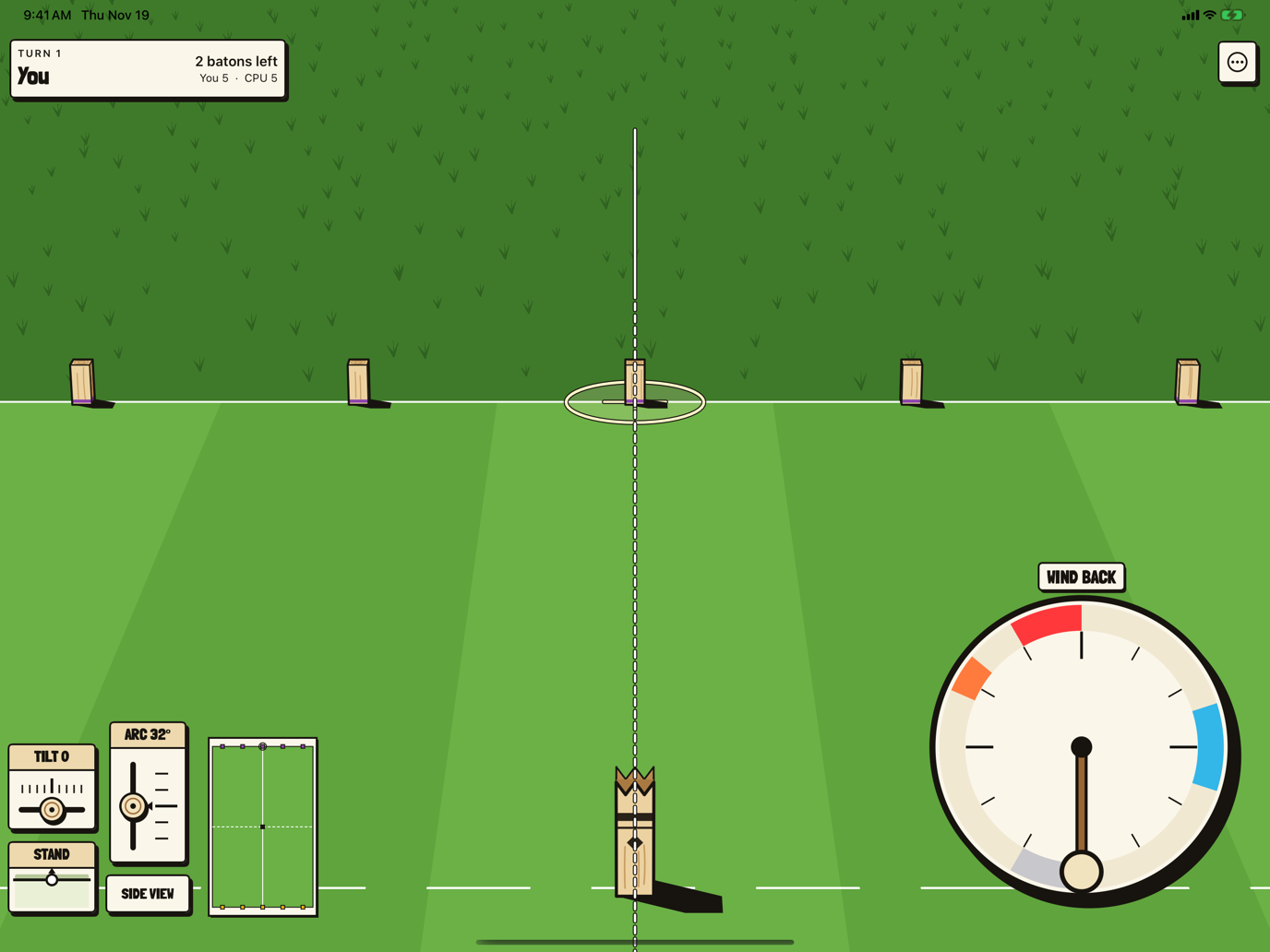
An iPad Pro 13-inch, on its side #
The first turn again, on an iPad Pro 13-inch on its side, in the web’s wide layout. The clock grows with the screen, low on the right for the throwing hand, and TILT, STAND, ARC and SIDE VIEW sit at the far left with the minimap beside them.
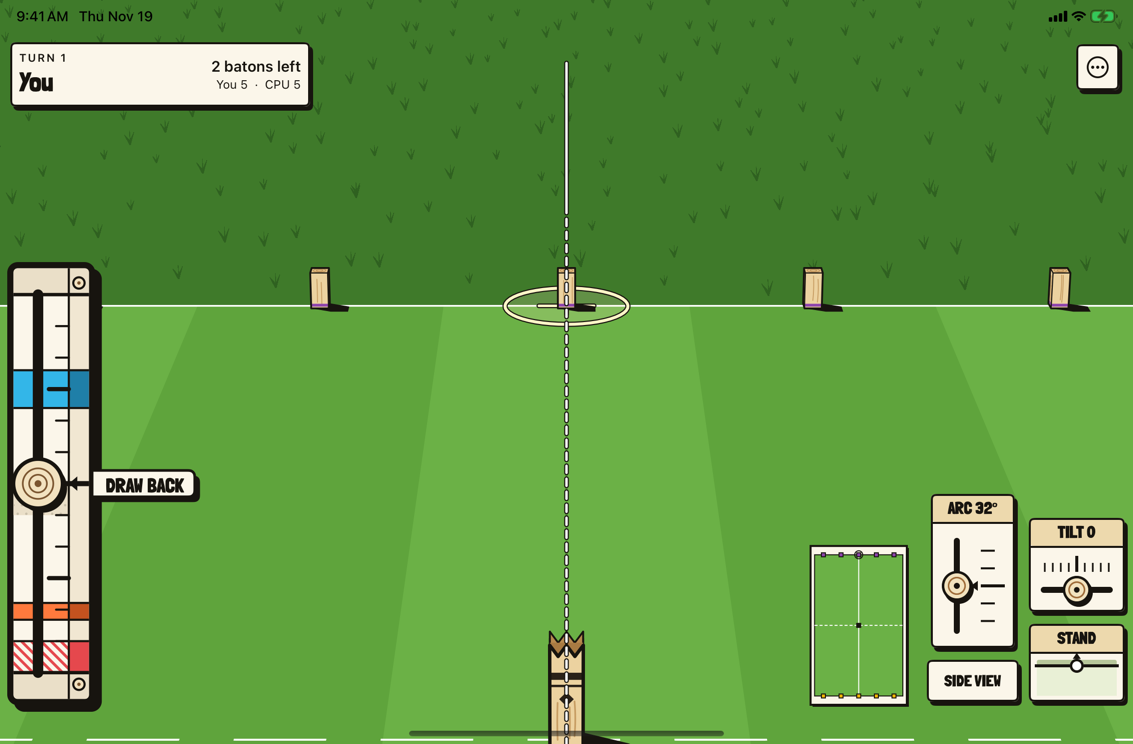
The linear meter on the left #

An iPad mini on its side with the linear meter chosen at the left edge, at its full length, and the plan’s controls mirrored to the far right.
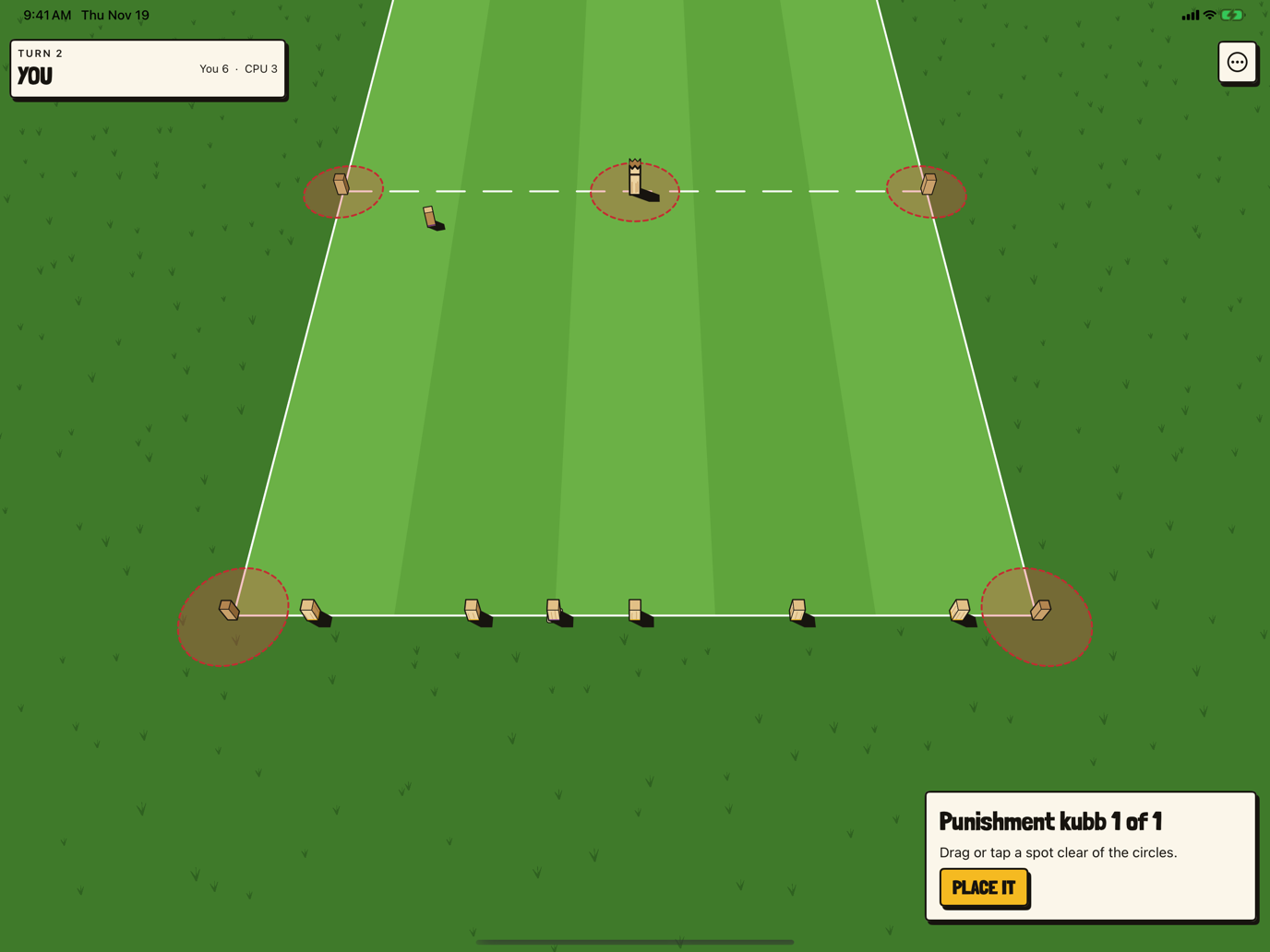
A punishment kubb #

Placing a punishment kubb on an iPad Pro 13-inch on its side. The card keeps the web’s width in the corner instead of stretching across the screen; drag or tap a spot clear of the red circles, then PLACE IT.
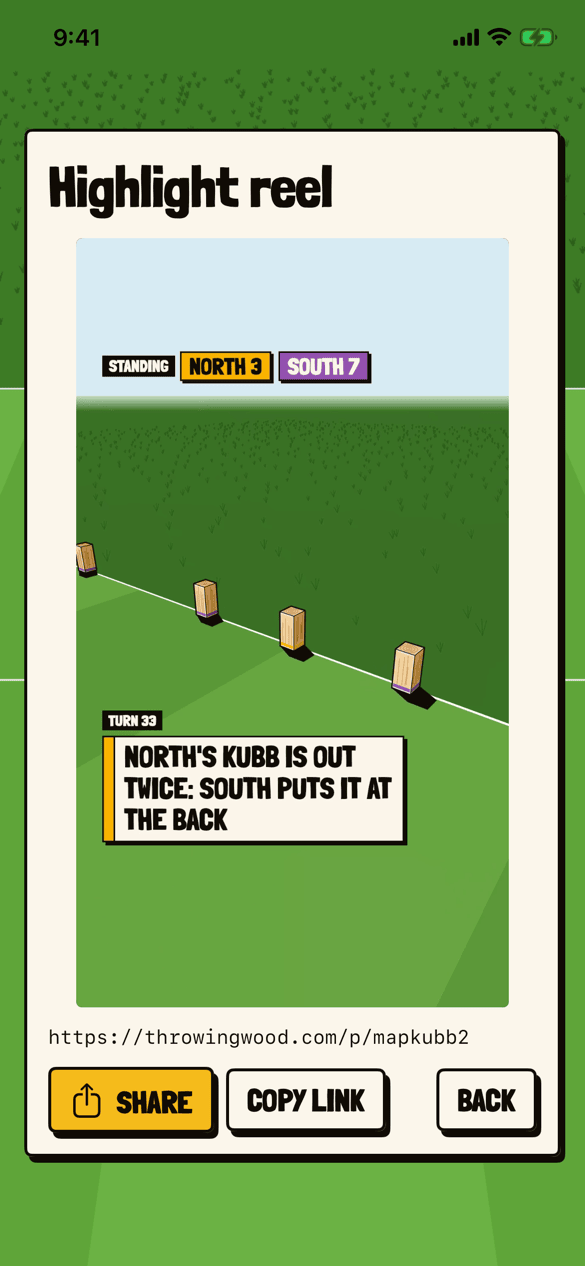
A highlight reel #
The card for a finished match’s reel, playing it: TURN 33, “NORTH’S KUBB IS OUT TWICE: SOUTH PUTS IT AT THE BACK”, with the match’s link, SHARE, COPY LINK and BACK.
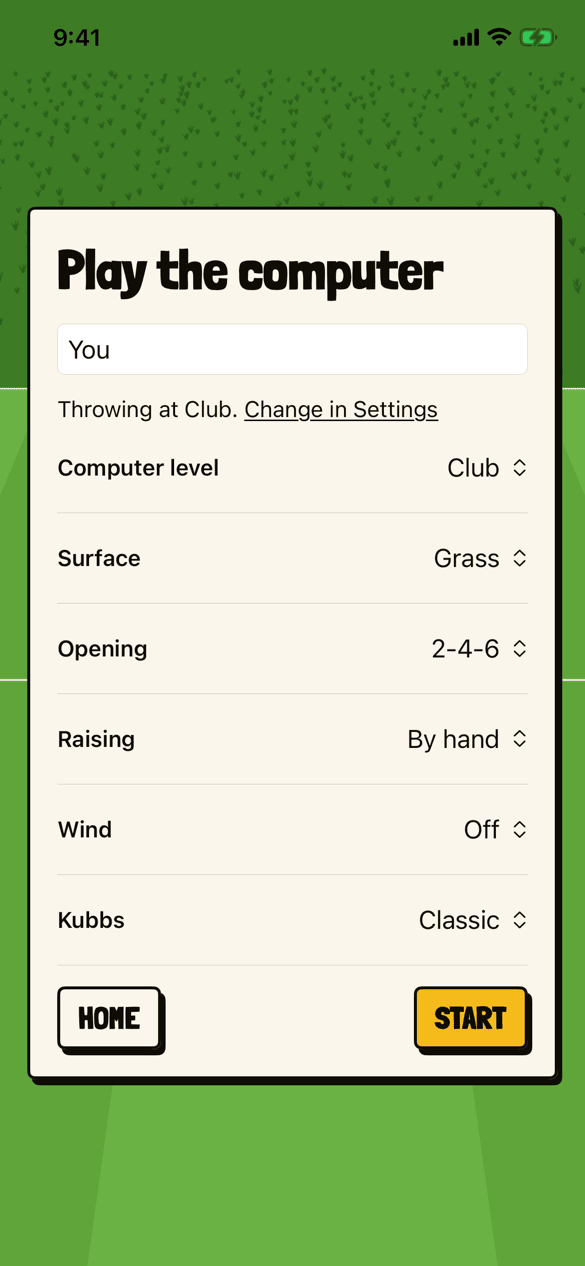
The computer’s level, for the match #
Play the computer on version 0.3. Computer level is a row of the match, beside surface, opening, raising, wind and kubbs, and the player’s own level is one line above it: “Throwing at Club. Change in Settings.”
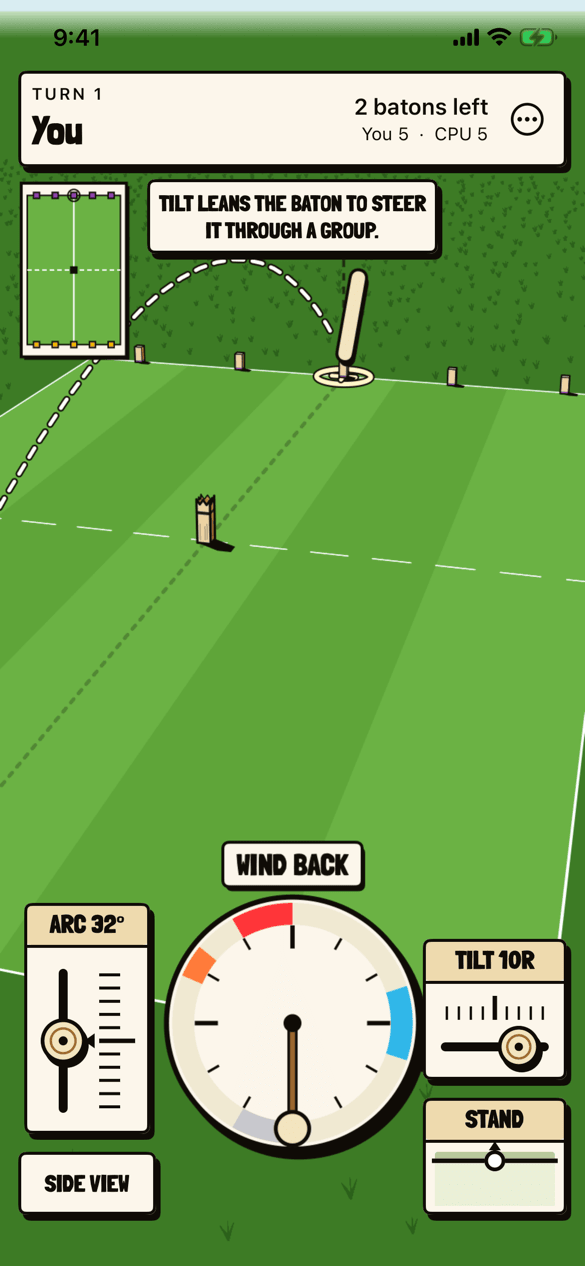
A slider that stops anywhere #
TILT 10R, a value between the ticks, and ARC 32°, with the hint TILT LEANS THE BATON TO STEER IT THROUGH A GROUP.
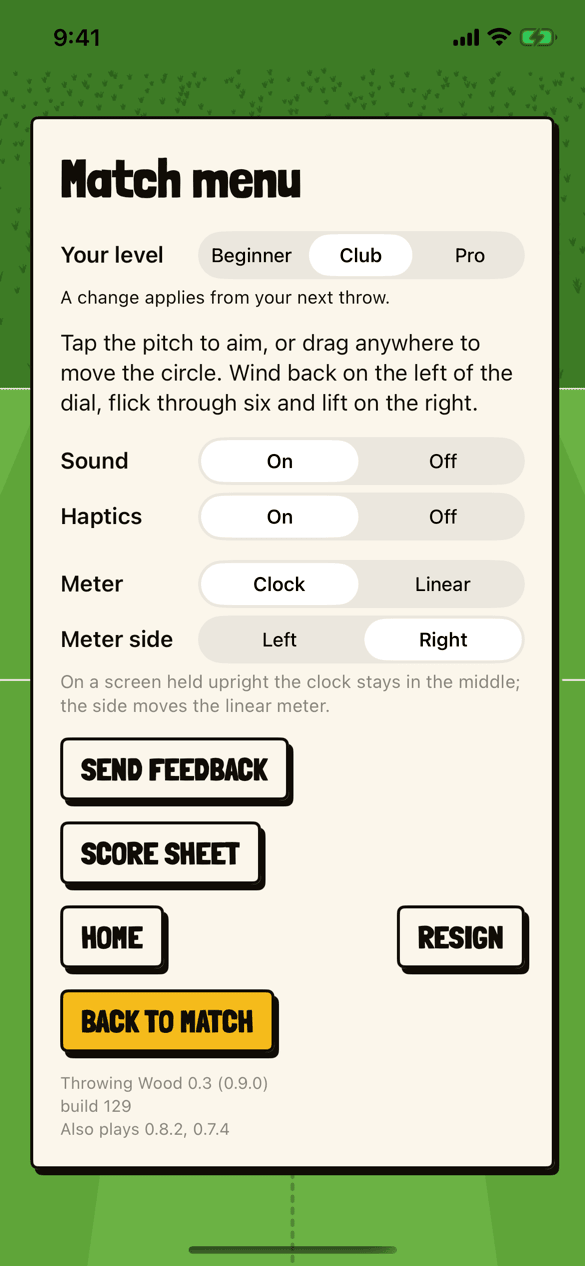
The match menu, and its version #
Your level, sound, haptics, the meter and its side, then SEND FEEDBACK, SCORE SHEET, HOME, RESIGN and BACK TO MATCH. At the foot, Throwing Wood 0.3 (0.9.0), then build 129, then “Also plays 0.8.2, 0.7.4”.
Night and Neon, in version 0.4 #
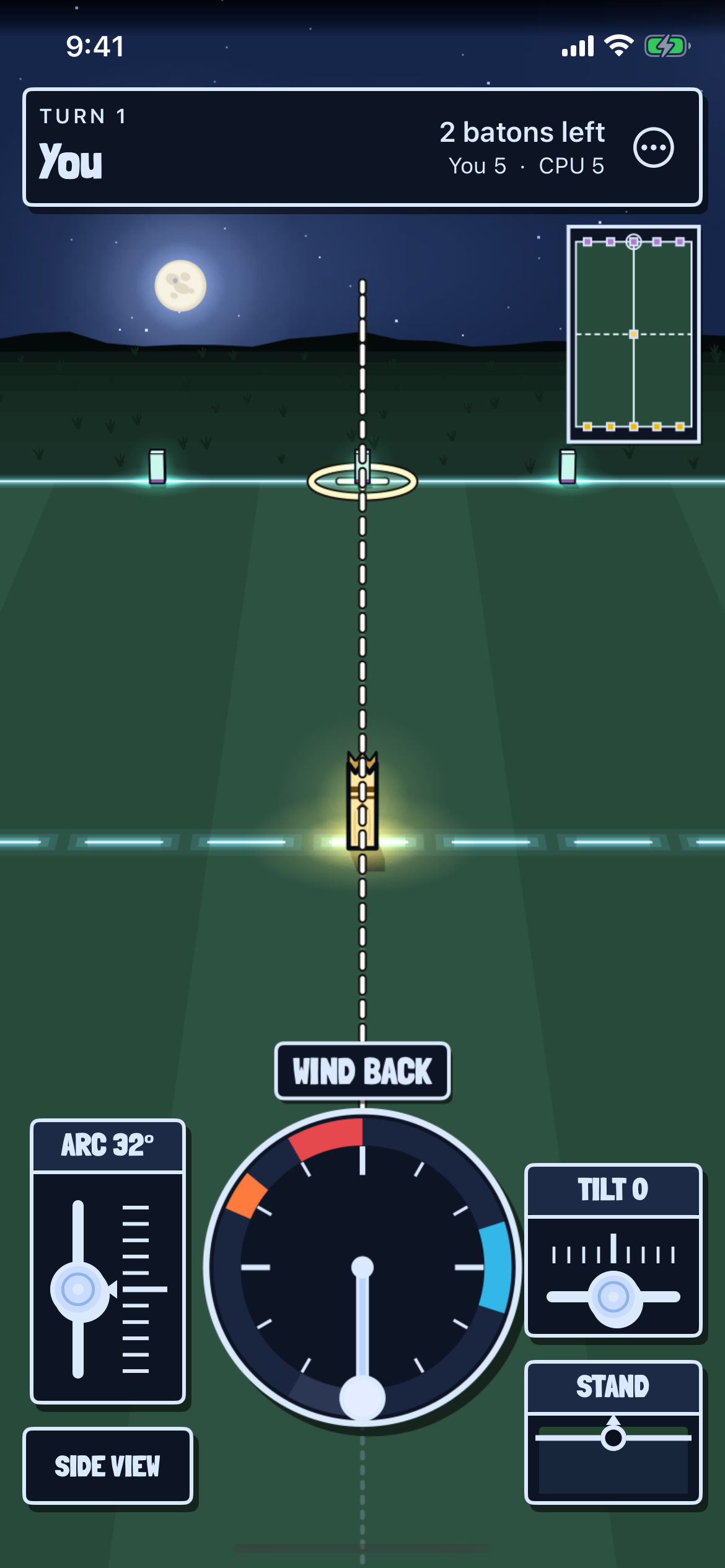
Aiming at Night #
The first turn of a match against the computer at Night, under a full moon and stars. The baselines glow pale green, the king is lit at the center, and the clock, the sliders and the score bar are dark to match.
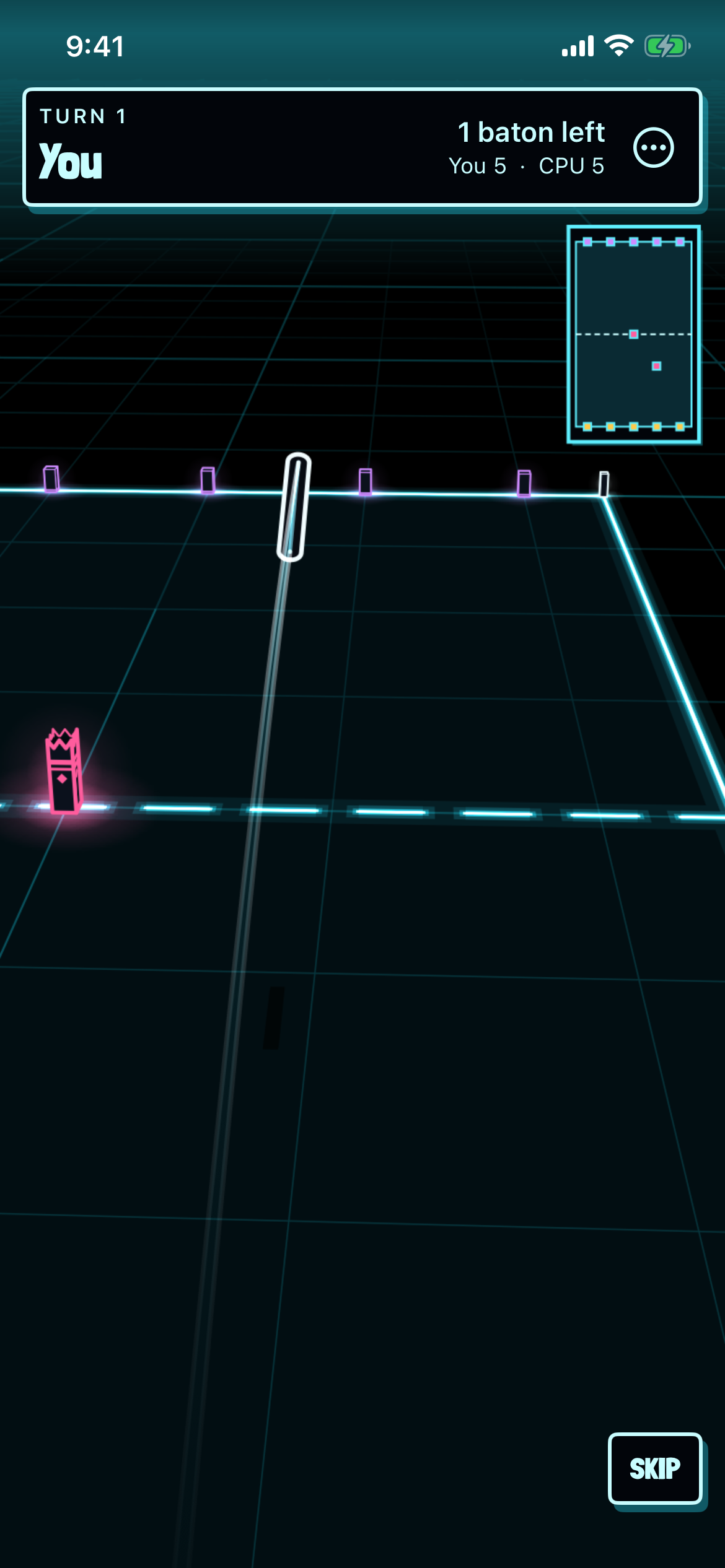
A baton in Neon #
A baton in flight in Neon, a white outline over a black world on a grid of faint blue lines, toward base kubbs edged in violet, with the king in pink. SKIP is low on the right.
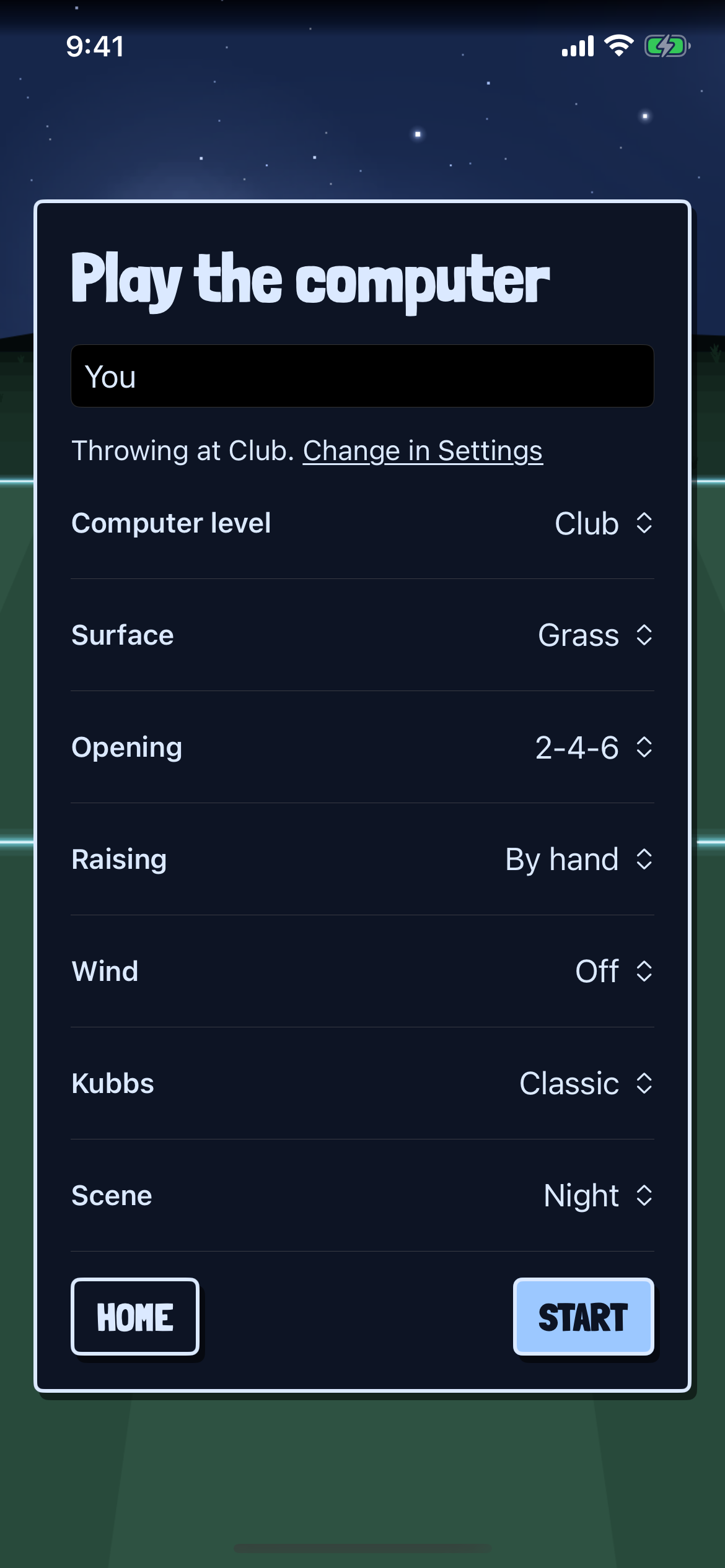
The Scene row #
Play the computer, its card dark in the night scene. Scene: Night is the last row, under Computer level, Surface, Opening, Raising, Wind and Kubbs.
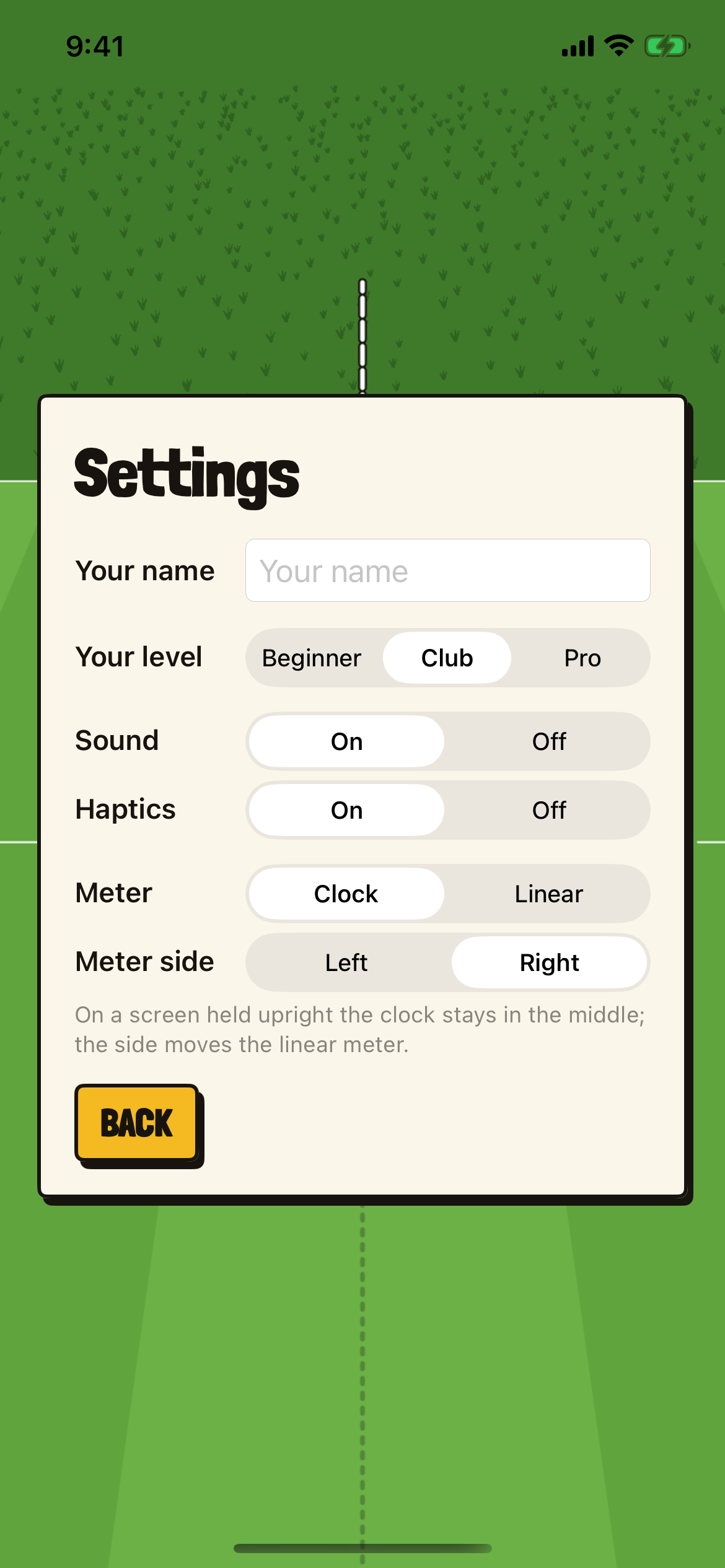
The Settings card #
Settings, from home: Your name, Your level (Beginner, Club or Pro), Sound, Haptics, Meter (Clock or Linear) and Meter side, with “On a screen held upright the clock stays in the middle; the side moves the linear meter.” and BACK.
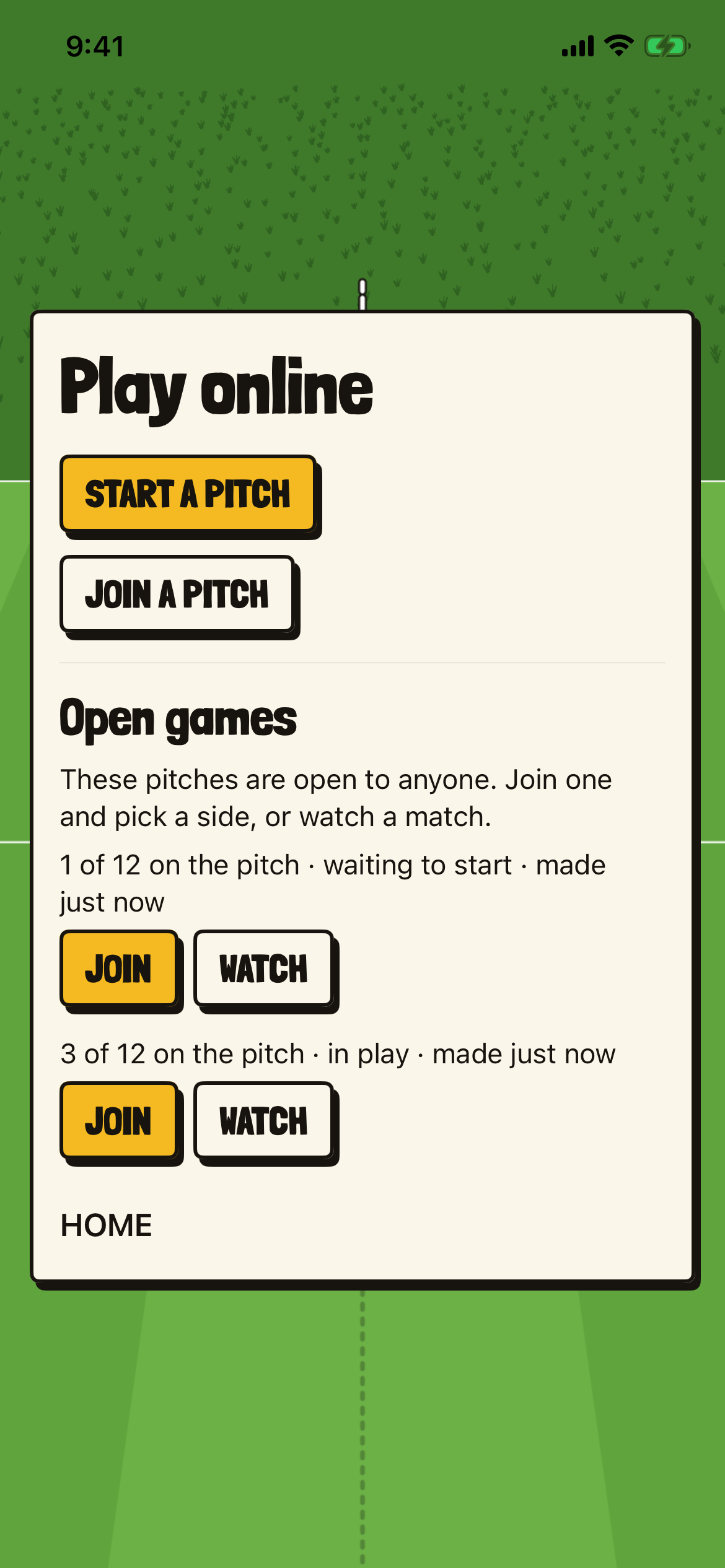
Open games #
Play online: START A PITCH and JOIN A PITCH, then Open games, “These pitches are open to anyone. Join one and pick a side, or watch a match.”, with two pitches, each with JOIN and WATCH.
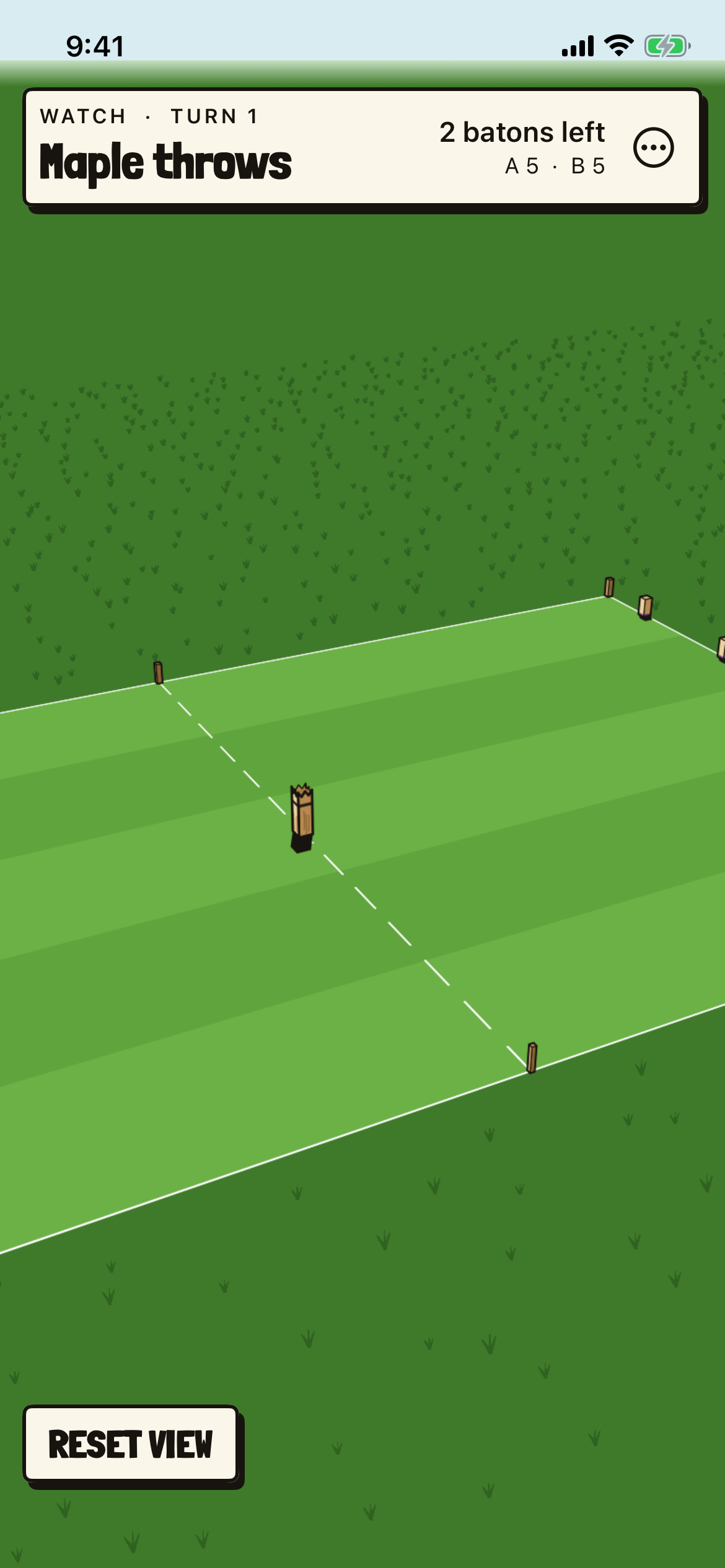
Watching, the view moved #
Turn 1, “Maple throws”, watched after the view has been turned, lowered and brought closer. RESET VIEW is low on the left.
The watcher’s card #
Between matches: Watching, “Waiting for Maple to start the match.”, Team A Maple, Team B Rowan, Watching Birch (you), then JOIN THIS PITCH and HOME.
Sources and evidence #
Checked every day from GitHub, sitemaps, feeds, the Internet Archive, and Tinylytics. Evidence never sets a status. That is Jamie’s call.
-
jthingelstad/throwingwood-ios implementation
-
throwingwood.com/privacy/ reference
-
throwingwood.com/ios/ reference
Commits and publications per month, last twelve months.
Connections #
-
Kubb: Throwing Wood for iPhone runs Kubb Engine
The app carries a tagged release of the Kubb Engine byte for byte, in Lua 5.4 with musl’s math compiled in, and its tests play the engine’s golden matches and check every hash. Source
-
Kubb: Throwing Wood for iPhone plays on the same pitches as Kubb: Throwing Wood on the web
A pitch link opens in the app, and a phone and a browser can play opposite sides of the same match. Source
History #
-
milestone
Kubb Engine 0.9.0
The day’s fifth tag: a kubb never rests on an edge, batons aim lower at a kubb’s body, the computer steps up to a kubb a step from the line, and its games against itself run 15.6 turns where they had run 24.1. The web game moves to it the same day, and the Playdate and iPhone games on their main branches. Source
-
development
Kubb: Throwing Wood’s highlight reels
The web and iPhone games can ask for a short video of a finished match’s best throws, made on the server from its replay with the engine’s own physics, and a match against the computer can be shared with a link of its own. Source
-
milestone
Kubb: Throwing Wood for iPhone opens to outside testers
Builds 113 and 121 pass Apple’s Beta App Review and go to the outside testers, with a public TestFlight link on the game’s iPhone page. Source
-
development
Kubb: Throwing Wood for iPhone gets scenes
Version 0.4, build 144, goes to TestFlight: a match can be played in the Day, at Night under a full moon, or in Neon, a black world on a grid of light. A scene is a look only and never changes a throw. It passes Apple’s Beta App Review early the next morning, as does build 132, version 0.3, and both go to the outside testers. Source
-
development
Kubb: Throwing Wood’s controls, remade for a hand
The web and iPhone games take the same new controls, a clock or a linear meter as the player’s choice, a hint shown on the meter, sliders, STAND, raising a kubb by touch, and a phone turned on its side. Source
-
development
Kubb: Throwing Wood for iPhone plays on an iPad
The iPhone game becomes universal, the same game on a bigger screen, laid out by the window’s size in all four of an iPad’s turns and in a resizable window, and goes to the testers in build 90 that evening. Source
-
milestone
Kubb: Throwing Wood for iPhone in TestFlight
The iPhone game goes into TestFlight with a small group of testers, a day after it was begun, playing practice, the computer and shared pitches. Source
-
development
Kubb: Throwing Wood for iPhone begun
A native iPhone app starts, running the Kubb Engine in Lua with musl’s math built in, so its throws match the web game’s hash for hash. Source